Usage
Environment, build, udev, the prep/go start sequence, and syncing the PC with the robot.
The default workspace is ~/1raicom_ws (same layout as raicom2026).
Requirements
| Component | Notes |
|---|---|
| OS | Ubuntu 18.04 |
| ROS | Melodic |
| This repository | 1raicom_ws (catkin root) |
~/cartographer_ws | Cartographer localization (not in this repository) |
~/cv_bridge_ws | Python 3 cv_bridge for the YOLO node |
Conda yolov8 | ONNX inference |
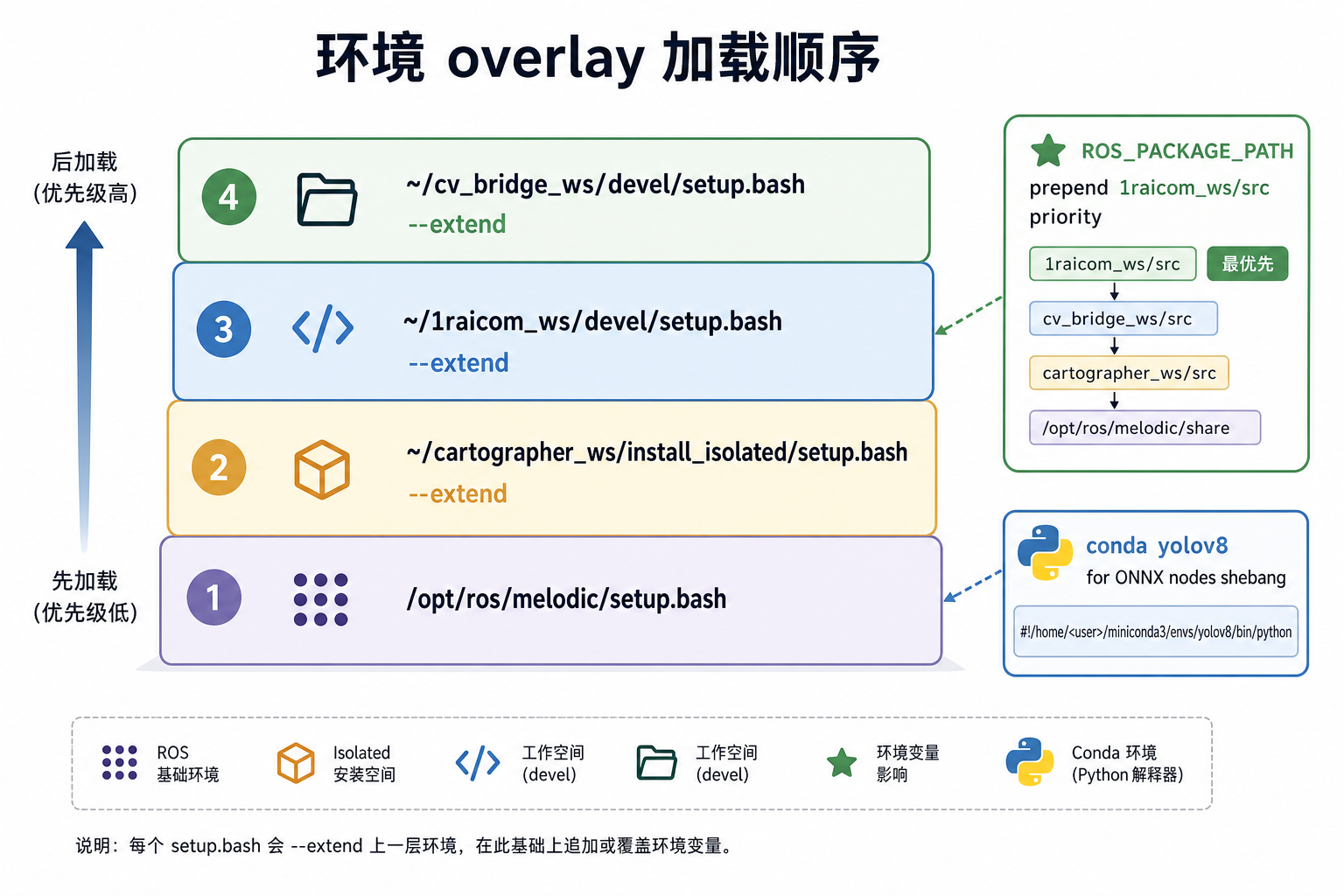
One environment entry
In every new terminal:
setup_env.sh overlays ROS, then cartographer, then 1raicom_ws, then cv_bridge, and forces 1raicom_ws to the front of ROS_PACKAGE_PATH.
Build
First parallel build of lslidar
If it fails, run catkin_make once more.
Devices and udev
Rules live in config/udev/:
| Device | Node |
|---|---|
| Chassis | /dev/carserial |
| IMU | /dev/imu |
| Lidar | /dev/lslidar |
| Gimbal gun | /dev/gun |
| Webcam | /dev/video* |
| Orbbec | USB 2bc5 |
Match start (two stages)
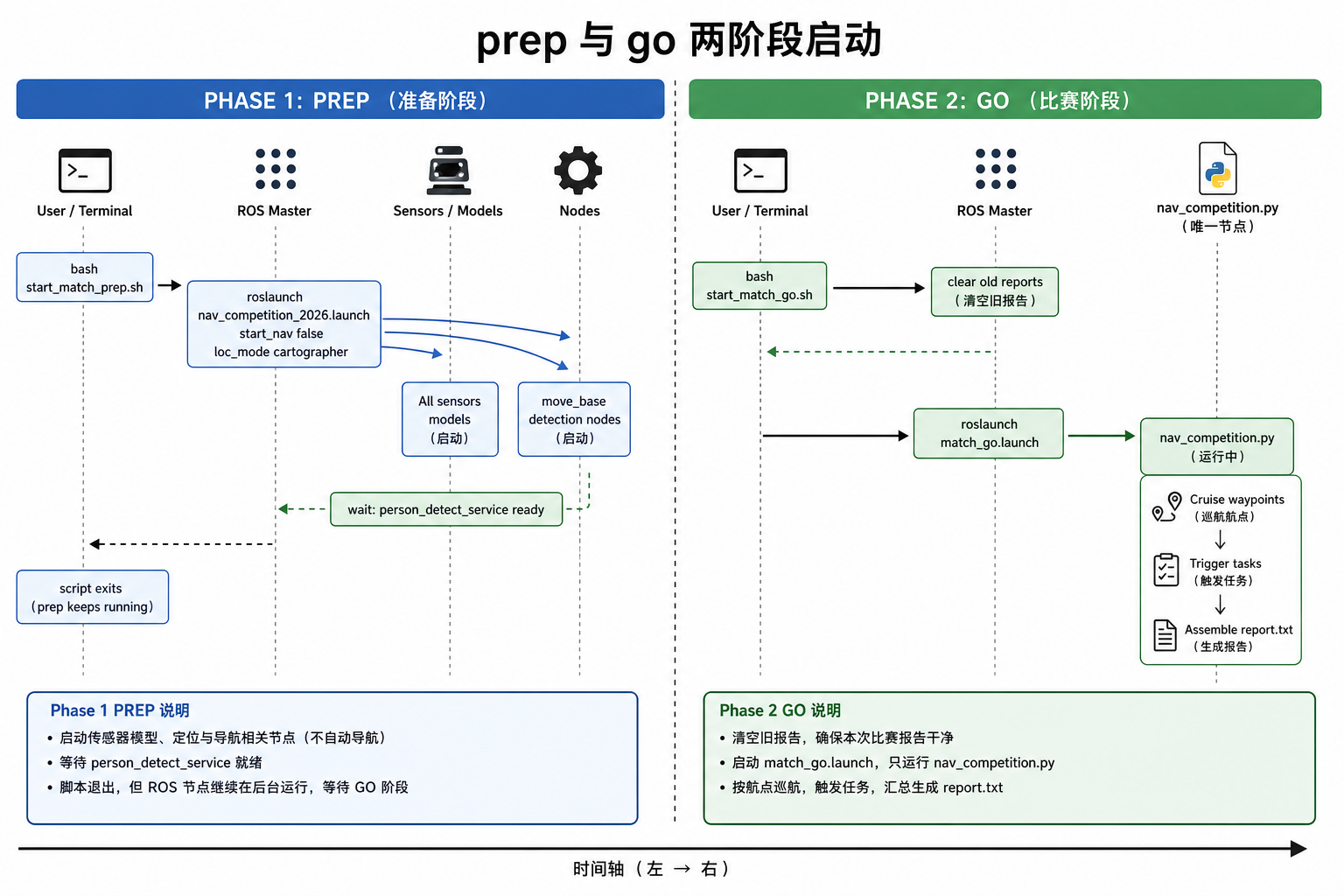
prep
- Background
nav_competition_2026.launch(start_nav:=false,loc_mode:=cartographer) - The script exits after
person_detect_serviceis ready. The prep process keeps running. - Log:
/tmp/prep.log
go
- Clears
src/raicom2026/data/reports/ - Starts only
match_go.launch→nav_competition.py
Clean up
Maps and models
| Asset | Path |
|---|---|
| Match map | src/raicom2026/data/maps/map2.yaml |
| pbstream | src/raicom2026/data/maps/map2.pbstream |
| ONNX | data/models/person.onnx, mine.onnx, antitank.onnx |
| Waypoints | param/nav_competition.yaml |
| Report | data/reports/report.txt |
Read these first after clone
| File | Role |
|---|---|
scripts/setup_env.sh | Environment |
scripts/start_match_*.sh | Match entry points |
launch/nav_competition_2026.launch | Main launch |
param/nav_competition.yaml | Waypoint course |
scripts/nav_competition.py | Navigation orchestrator |
Sync the PC and the robot
- Edit on the PC, then
git push - PC → robot:
scpsrc/,scripts/, andconfig/ - On the robot,
catkin_makeandsource setup_env.sh
Note
The robot usually cannot reach GitHub. Do not git push from the robot.