Usage
Treat the directory that contains src/community_nav, src/community_vision, and src/community_mission as the catkin workspace. You can also copy those three packages into an existing competition_ws/src and build there.
Requirements
| Component | Notes |
|---|---|
| OS | Ubuntu 20.04 |
| ROS | Noetic |
| This workspace | The three packages above |
orbbec_camera | Dabai DCW2, not in this workspace |
lslidar_driver | Leishen lidar driver, not in this workspace |
car_bringup | Odometry node base_node, not in this workspace |
Conda paddle_env | Only for yolo_onnx.py |
If ros-noetic-desktop-full is already installed, navigation and RViz are usually present. Install anything still missing:
Speech uses espeak -v zh. If the log says Full dictionary is not installed for 'zh', the Chinese voice data is incomplete. Speech will be unclear. Navigation and recognition still run.
Vision environment
environment.yml is at the workspace root. The environment name is paddle_env, Python 3.10. It is a full export from the match machine, so it is large.
yolo_onnx.py imports onnxruntime, opencv-python, numpy, pillow, ultralytics, cnocr, and cnstd. The OCR models for plates and building names download into ~/.cnstd on first run, which needed a network connection.
main_nav.py uses the ROS Python install. Do not enter paddle_env for it.
Build
Every new terminal must source ROS, then this workspace’s devel/setup.bash.
Devices
| Device | Node | Parameters |
|---|---|---|
| Chassis | /dev/carserial | 115200, base_controller.py |
| IMU | /dev/imu | 9600, wit_multi_ros.py |
| Lidar | /dev/lslidar | Leishen N10_P serial |
| Camera | Orbbec Dabai DCW2 | /camera/color/image_raw |
Match start (three terminals)
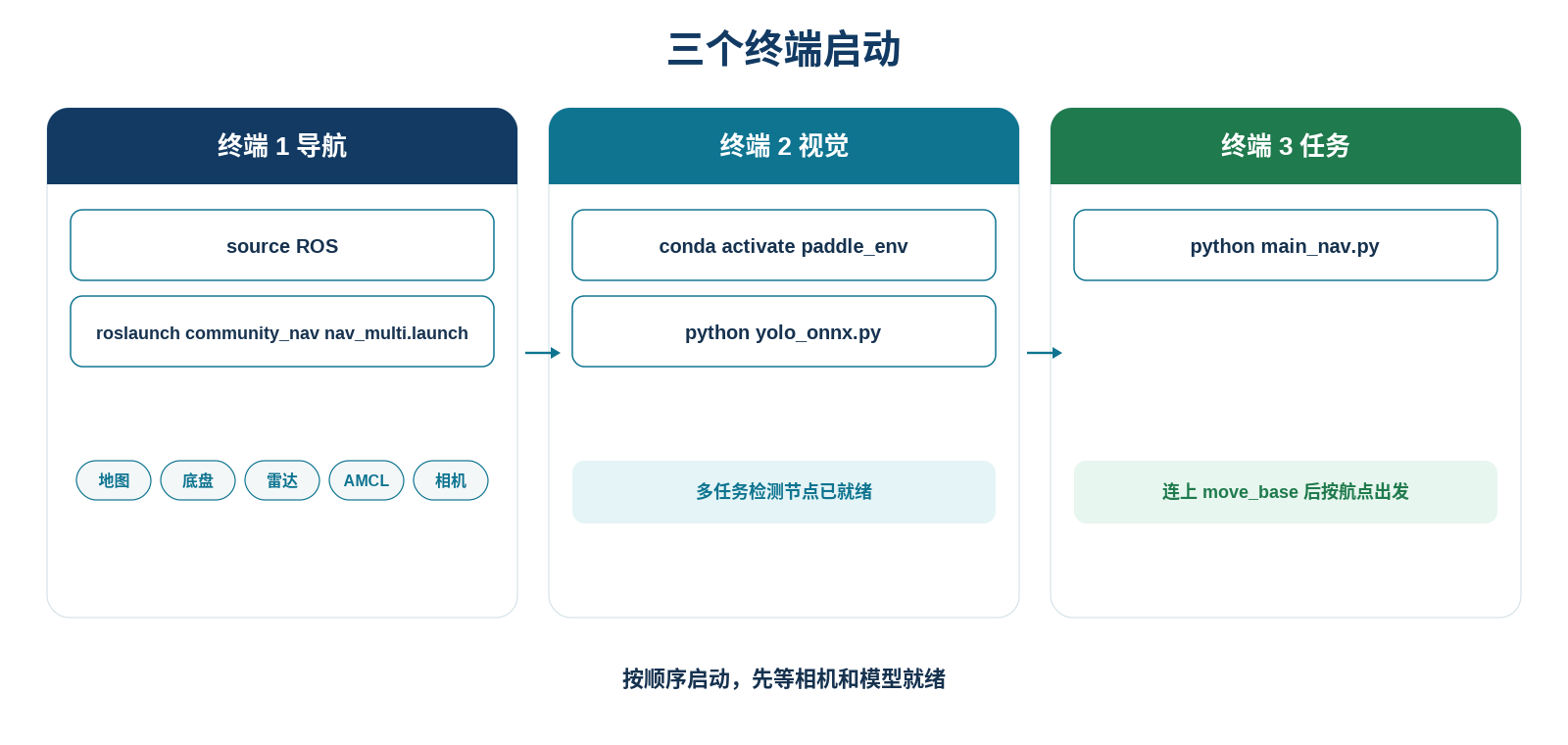
1. Navigation
Do not enter conda.
This starts the map, chassis, IMU, lidar, AMCL, move_base, the Orbbec camera, and RViz. To skip RViz:
2. Vision
Wait until the camera topic has data. This terminal must enter conda and still source ROS, or rospy and cv_bridge will not line up.
The script loads traffic.onnx and the other models by filename in the current directory. Do not rosrun it from another working directory.
Continue only after the log says the multi-task detector is ready. Snapshots and tracking videos are written to ro_test_img/ in that same directory.
3. Mission
Use system Python. Do not conda activate.
rosrun community_mission main_nav.py also works. After it connects to move_base, it starts at waypoint 1.
Where the models live
All of them sit next to yolo_onnx.py in src/community_vision/:
| File | Role |
|---|---|
traffic.onnx | Traffic lights |
best.onnx | Dolls (good / bad) |
fire.onnx | Fire |
bin_new.onnx | Trash-bin open or closed |
rubbish.onnx | Trash class |
motorbike.onnx | E-bike snapshot and tracking |
License plates and building names do not use these files. They use CnOcr.